Skip to content
App Settings

App Settings

  • All Articles
  • App
  • C++
  • Coding
  • More
    • Hardware
    • Operating System
    • Outlook
    • PowerPoint
    • Software
    • Tip & Trick
    • Troubleshooting
    • Windows

All Recipes — Page 15

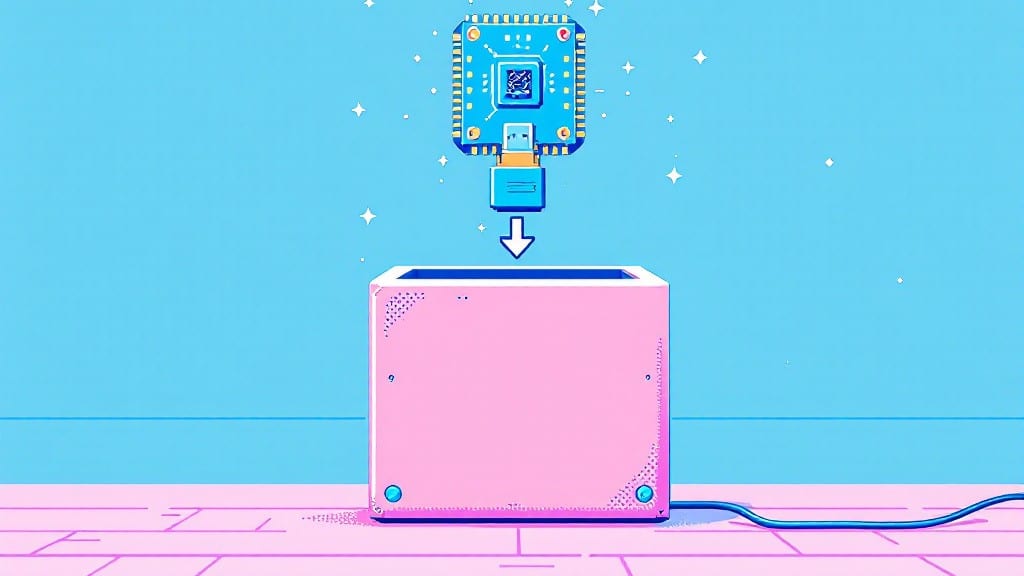
Windows 10 TPM 2.0 Download: Secure Boot Activation in Minutes
October 14, 2026 by Lamar Faulkner
Windows 10 TPM 2.0 Download: Secure Boot Activation in Minutes

Downloading TPM 2.0 for Windows 10 isn't just about security—it's about unlocking features that modern apps and Windows updates demand. ⚡ I remember helping Dad rebuild those old IBMs in Pittsburgh scrap yards, and even…

Read more

Categories Windows

For What Reason Would You Need To Download A Codec Pack: Missing Media Support Explained

October 14, 2026 by Lamar Faulkner
For What Reason Would You Need To Download A Codec Pack: Missing Media Support Explained

For what reason would you need to download a codec pack? The quick answer is when your system struggles to play audio or video files like MP4s, MKVs, or older formats such as DivX. These codecs act as translators…

Read more

Categories Software

How to Download a File From Teams: Instant Access Without the Hassle

October 14, 2026 by Lamar Faulkner
How to Download a File From Teams: Instant Access Without the Hassle

Downloading files from Teams shouldn’t feel like solving a puzzle—here’s how to grab any file in seconds, whether you’re on desktop, browser, or mobile. ⚡ I’ve helped dozens of coworkers and clients snag files stuck in…

Read more

Categories Tip & Trick

How to Download an Excel File from Sharepoint: Step-by-Step Guide for Quick Access

October 14, 2026 by Lamar Faulkner
How to Download an Excel File from Sharepoint: Step-by-Step Guide for Quick Access

Downloading an Excel file from SharePoint used to feel like navigating a maze—until I figured out the three foolproof methods that work every time. ✨ My first attempt ended with a corrupted file because I missed the…

Read more

Categories Software

How to Remove Registry Entries of Uninstalled Software: Step-by-Step Cleanup Guide

October 14, 2026 by Lamar Faulkner
How to Remove Registry Entries of Uninstalled Software: Step-by-Step Cleanup Guide

Removing registry entries of uninstalled software isn’t just about freeing space—it’s about fixing broken shortcuts and preventing system slowdowns. ✨ I’ve cleaned up more registry clutter than I can count, and the…

Read more

Categories Software

How to Set Up Outlook on Mac: Seamless Sync and Email Mastery in Minutes

October 14, 2026 by Lamar Faulkner
How to Set Up Outlook on Mac: Seamless Sync and Email Mastery in Minutes

Setting up Outlook on your Mac connects your email, calendar, and contacts in one smooth workflow. ⚡ Five years of helping businesses troubleshoot email setups taught me the exact steps that avoid the most common…

Read more

Categories Outlook

Outlook 2010 Reminder Setup: Instant Email Alerts Without Losing Data

October 14, 2026 by Lamar Faulkner
Outlook 2010 Reminder Setup: Instant Email Alerts Without Losing Data

Learning how to set up a reminder in Outlook 2010 became a lifesaver for my grandmother’s business—back when I was helping her with that old Windows 95 setup. The process is shockingly straightforward once you know the…

Read more

Categories Outlook

Is There a Printable Calendar in Word: Built-In Templates and How to Use Them

October 14, 2026 by Lamar Faulkner
Is There a Printable Calendar in Word: Built-In Templates and How to Use Them

💥 Quick Answer Yes, there's a printable calendar in Word: built-in templates under Insert > Calendar let you generate monthly, weekly, or yearly layouts directly. These designs are fully customizable and print-ready…

Read more

Categories Operating System

Is Visio Included in Office 365: What Plans Actually Cover It

October 14, 2026 by Lamar Faulkner
Is Visio Included in Office 365: What Plans Actually Cover It

💥 Quick Answer Visio isn't included in standard Office 365 plans, but you can add it to select business and enterprise subscriptions like Office 365 Business Premium or Microsoft 365 E3/E5. Personal users and those…

Read more

Categories Software

Power Query Download Did Not Complete: Three Quick Fixes When Stuck at 99%

October 14, 2026 by Lamar Faulkner
Power Query Download Did Not Complete: Three Quick Fixes When Stuck at 99%

The frustration hits hard when you’re just a click away from analyzing your data—until the Power Query download did not complete , leaving you stuck at 99% after 45 minutes. ✨ Here are three fixes that actually work…

Read more

Categories Troubleshooting
Page1…Page13Page14Page15Page16Page17…Page31Next →

About Me

Lamar Faulkner

Lamar Faulkner
My first computer was a clunky desktop my dad bought me in the late '90s, and I remember spending hours trying to get games to run without crashing. That curiosity never left me. Now, I run this site to break down tech in a way that makes sense—whether it’s troubleshooting a stubborn PC, exploring the latest software, or just figuring out how to make your devices work *with* you, not against you. Think of me as your tech translator, here to turn jargon into actionable tips.

Learn more

Recent Posts

  • How to Install Ram in a Desktop Pc: Step-by-Step Visual Guide for Beginners
    How to Install Ram in a Desktop Pc: Step-by-Step Visual Guide for Beginners
  • Uninstall Trend Micro on Mac: Step-by-Step Removal Without Leftovers
    Uninstall Trend Micro on Mac: Step-by-Step Removal Without Leftovers
  • How to Install Onenote for Windows 10: Step-by-Step Installation Made Simple
    How to Install Onenote for Windows 10: Step-by-Step Installation Made Simple
  • Microsoft Office Removal Tool Download Windows 10: Official Clean Uninstall Guide
    Microsoft Office Removal Tool Download Windows 10: Official Clean Uninstall Guide
  • Classic Mahjong Free Download for Windows 10: No-Watermark Version with Cloud Save
    Classic Mahjong Free Download for Windows 10: No-Watermark Version with Cloud Save
  • All Guides
  • About
  • Contact
  • Privacy Policy
  • Cookie Policy
  • Terms of Use
© 2026 appsettings.click