Skip to content
App Settings

App Settings

  • All Articles
  • App
  • C++
  • Coding
  • More
    • Hardware
    • Operating System
    • Outlook
    • PowerPoint
    • Software
    • Tip & Trick
    • Troubleshooting
    • Windows

Tip & Trick — Page 3

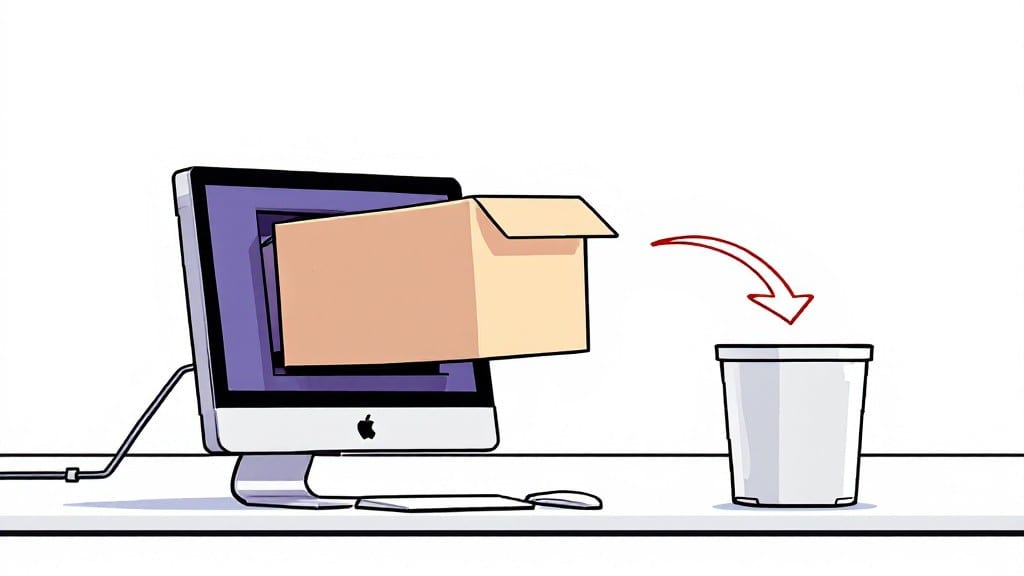
How to Turn Off Automatic Downloads: Tech-Savvy Pause Button in Seconds

October 10, 2026 by Lamar Faulkner
How to Turn Off Automatic Downloads: Tech-Savvy Pause Button in Seconds

To turn off automatic downloads, you’re about to reclaim control over your device’s storage and attention in under a minute—something I’ve done hundreds of times for friends who kept running out of space. The key is…

Read more

Categories Tip & Trick

How to Uninstall Microsoft Apps on Mac: Step-by-Step Guide Without Losing Data

November 18, 2026 by Lamar Faulkner
How to Uninstall Microsoft Apps on Mac: Step-by-Step Guide Without Losing Data

Uninstalling Microsoft apps on your Mac should take less than 15 minutes—but I’ve seen it turn into a half-hour headache when leftover files clog the system. ⚡ The key is using macOS’s built-in tools the right way, not…

Read more

Categories Tip & Trick

How To Uninstall Microsoft Phone Link: Step-by-Step Removal Guide

October 12, 2026 by Lamar Faulkner
How To Uninstall Microsoft Phone Link: Step-by-Step Removal Guide

Uninstalling Microsoft Phone Link can feel like untangling a stubborn knot—especially when it keeps reappearing after removal. ⚡ I’ve helped dozens of users completely wipe this app from their Windows PCs and mobile…

Read more

Categories Tip & Trick

How to Uninstall Microsoft Teams on Mac: Complete Removal Without Leftovers

October 15, 2026 by Lamar Faulkner
How to Uninstall Microsoft Teams on Mac: Complete Removal Without Leftovers

My first attempt at uninstalling Microsoft Teams on a Mac left me staring at a stubborn leftover preferences file that kept relaunching the app. ✨ That’s why I’ve since perfected a complete removal method that wipes…

Read more

Categories Tip & Trick

Uninstall Trend Micro on Mac: Step-by-Step Removal Without Leftovers

October 8, 2026 by Lamar Faulkner
Uninstall Trend Micro on Mac: Step-by-Step Removal Without Leftovers

Removing Trend Micro from your Mac completely takes more than just dragging it to the trash. ⚡ I’ve seen leftover files and hidden launch agents cause performance issues for weeks after uninstalling—here’s how to scrub…

Read more

Categories Tip & Trick

OneDrive File Upload: Step-by-Step Guide for Beginners

November 17, 2026 by Lamar Faulkner
OneDrive File Upload: Step-by-Step Guide for Beginners

Uploading files to OneDrive is easier than you think—even if you’ve never touched cloud storage before. ✨ I’ve helped dozens of friends and family move their photos, documents, and backups to OneDrive without a hitch…

Read more

Categories Tip & Trick

How to Use Microsoft Authenticator to Scan Qr Code: Step-by-Step Setup for Two-Factor Security

November 17, 2026 by Lamar Faulkner
How to Use Microsoft Authenticator to Scan Qr Code: Step-by-Step Setup for Two-Factor Security

Learning how to use Microsoft Authenticator to scan a QR code saved me from a hacked email account last year—it took seconds instead of fumbling with SMS codes. ✨ The process is simpler than most people realize, and once…

Read more

Categories Tip & Trick

10 Keyboard Symbols That Start With "A": Essential Shortcuts for Faster Typing

October 12, 2026 by Lamar Faulkner
10 Keyboard Symbols That Start With "A": Essential Shortcuts for Faster Typing

Mastering keyboard shortcuts can drastically improve your productivity. These 10 essential symbols starting with 'A'—often overlooked—will help you type faster, format text professionally, and navigate software like a…

Read more

Categories Tip & Trick

Microsoft 365 Word Tips and Tricks Read Online: Hidden Features That Boost Your Productivity Daily

October 22, 2026 by Lamar Faulkner
Microsoft 365 Word Tips and Tricks Read Online: Hidden Features That Boost Your Productivity Daily

Microsoft Word is a powerhouse for productivity, but most users only scratch the surface. These seven hidden Microsoft 365 Word tips and tricks will transform how you work, saving you hours weekly and unlocking features…

Read more

Categories Tip & Trick

Where Can I Download Microsoft Word: Official Sources vs Free Alternatives

October 7, 2026 by Lamar Faulkner
Where Can I Download Microsoft Word: Official Sources vs Free Alternatives

💥 Quick Answer To download Microsoft Word, visit the official Microsoft website for paid subscriptions (Office 365) or use free alternatives like Word Online, Google Docs, or LibreOffice if you need basic word…

Read more

Categories Tip & Trick
Page1Page2Page3Page4Next →

About Me

Lamar Faulkner

Lamar Faulkner
My first computer was a clunky desktop my dad bought me in the late '90s, and I remember spending hours trying to get games to run without crashing. That curiosity never left me. Now, I run this site to break down tech in a way that makes sense—whether it’s troubleshooting a stubborn PC, exploring the latest software, or just figuring out how to make your devices work *with* you, not against you. Think of me as your tech translator, here to turn jargon into actionable tips.

Learn more

Recent Posts

  • How to Install Ram in a Desktop Pc: Step-by-Step Visual Guide for Beginners
    How to Install Ram in a Desktop Pc: Step-by-Step Visual Guide for Beginners
  • Uninstall Trend Micro on Mac: Step-by-Step Removal Without Leftovers
    Uninstall Trend Micro on Mac: Step-by-Step Removal Without Leftovers
  • How to Install Onenote for Windows 10: Step-by-Step Installation Made Simple
    How to Install Onenote for Windows 10: Step-by-Step Installation Made Simple
  • Microsoft Office Removal Tool Download Windows 10: Official Clean Uninstall Guide
    Microsoft Office Removal Tool Download Windows 10: Official Clean Uninstall Guide
  • Classic Mahjong Free Download for Windows 10: No-Watermark Version with Cloud Save
    Classic Mahjong Free Download for Windows 10: No-Watermark Version with Cloud Save
  • All Guides
  • About
  • Contact
  • Privacy Policy
  • Cookie Policy
  • Terms of Use
© 2026 appsettings.click